Keys and their limits
Each key carries its own spend cap, expiry and list of models, so one leaked or looping key can't drain the balance.
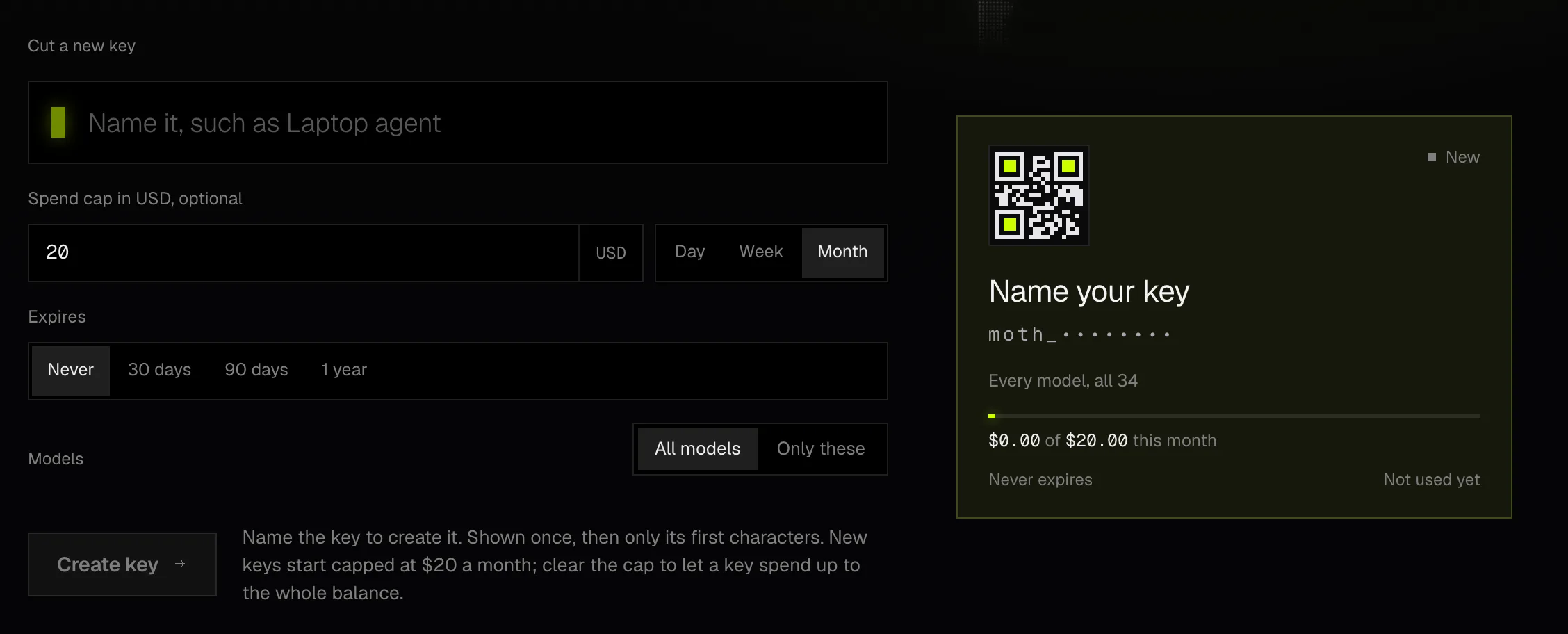
Spend cap
A cap limits what one key may spend in a window that resets in UTC, each day at midnight, each week on Monday or each month on the 1st. A new key made in Moth Console starts with $20 a month, and you can raise it, lower it or clear it.
The cap counts what the key has spent in the window plus the holds still open on it. A call whose hold would pass the cap is refused with 402 before it reaches a model, and a cap of zero stops every paid call.
An example key's spend in October, against a $20 monthly cap that resets on the 1st
Expiry
A key can expire at a date and time up to five years ahead. It stops at that moment exactly, and its calls then get 401 with the date it expired. An expired key stays in the list until you revoke it.
Allowed models
A key can be limited to between 1 and 64 models, and a call to any other model is refused with 403 naming it. Job status, model lists and usage aren't limited by the list.
How many keys
An account holds up to 20 keys. Revoking one takes effect at once, and its next call gets 401.
Usage is account-wide. Any key can read the whole account's balance, usage and activity, including a key limited to a few models, so give a key only to code you'd trust with those figures.
Manage keys in Moth Console under API keys, or through the keys endpoints with a wallet session.