Credit
Moth DocsApps
The Credit page holds your balance and every way to fill it, which today is USDG on Robinhood Chain, paid from your connected wallet or sent to your deposit address, or a credit code.
The card at the top shows the balance, how long it lasts at the pace of the last seven days, what you spent in the last 30 days, your last top-up and any deposit still waiting for the chain. One balance pays for every model in Moth Chat and through your API keys.
Add credit
Open Add credit
Press Add credit on the page, or press
Aanywhere in the Console. It opens as a column beside the page, or as a sheet on a narrower screen.Choose an amount
Pick $10, $25, $50, $100 or $250, or type another amount of at least $1. The amount is in USDG, which counts one to one with the dollar.
Choose how to pay
Connected wallet sends one transfer from the wallet you signed in with. Deposit address shows your account's own address, which takes a transfer from any wallet, exchange or bridge.
Check the summary and pay
The summary shows what you pay, the network fee, the credit added and the balance after. With Connected wallet, press Pay and approve the transfer in your wallet. With Deposit address, copy the address and send the USDG to it.
Wait for the chain
The deposit shows on the page as soon as it is seen on chain and is credited in full once the chain finalizes it, about 15 minutes later.
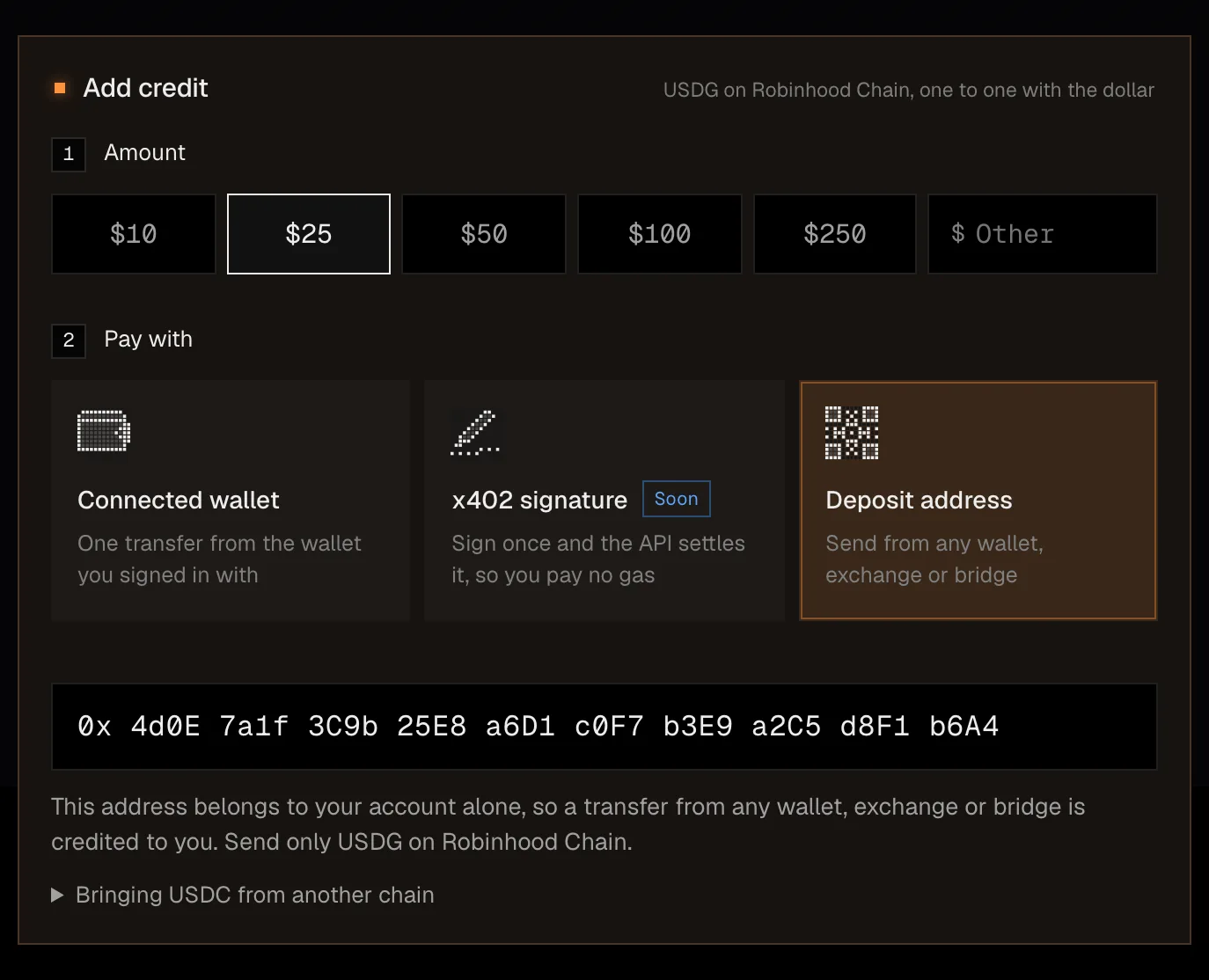
USDG on Robinhood Chain only. Send only USDG on Robinhood Chain to your deposit address. Robinhood Chain has no native USDC, and USDC bridged in from another chain arrives as USDG, which counts at face value.
If your wallet is not connected in the tab, the column says so, and you can pay to the deposit address or reconnect from the sign-in screen. Payments in $MOTH are listed as opening after launch. Nothing here is an offer of $MOTH or a statement about its price or returns.
Redeem a code
Redeem a code is a column on the Credit page too. Press R anywhere in the Console, press Redeem a code on the card of codes you've redeemed, or follow Have a code in Add credit.
Type the code
Spaces turn into dashes as you type, and a link that carries a code fills it in for you.
Press Redeem
The credit lands on your balance at once, for every model, in the Console and Moth Chat.
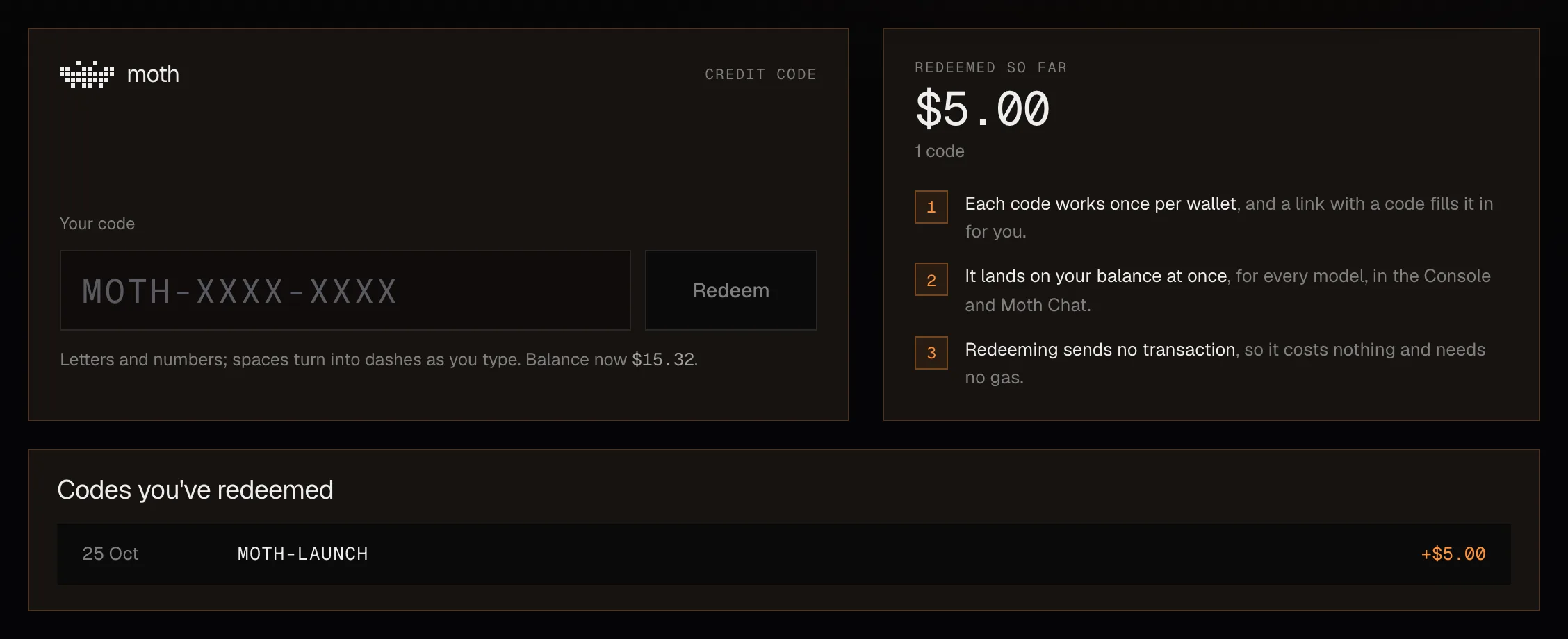
Redeeming sends no transaction, so it costs nothing and needs no gas, and each code works once per wallet. Credit codes lists why a code can be refused.
Deposits
Deposits lists every deposit with when it arrived, its status, its amount, the credit it added and its transaction. Pick a row to see its full transaction and a link to the chain's explorer. A deposit waits for the chain until it is final, and reads Settled after that.
Billing and deposits explains how a deposit is credited and where the balance goes, and the deposits endpoints return the same list.
Holder Credit
Holder Credit has a page of its own under Credit. It describes a part of $MOTH's trading fees set aside each hour for the wallets that hold the token, to claim as credit on this balance or withdraw as USDG. Both buttons are closed today, and the page says they open at the $MOTH launch. Holder Credit is a share of trading fees and not a return on holding, and nothing here is an offer or a solicitation to buy $MOTH.