Models and the Playground
Moth DocsApps
Models lists every model with its price against list, each model has a page of its own, Compare sets up to three side by side, and the Playground runs one and hands you the request as code.
Models, a model's page and Compare are public, so you can read every price without signing in. Trying a model, and anything about your own use, asks for your wallet.
Find a model
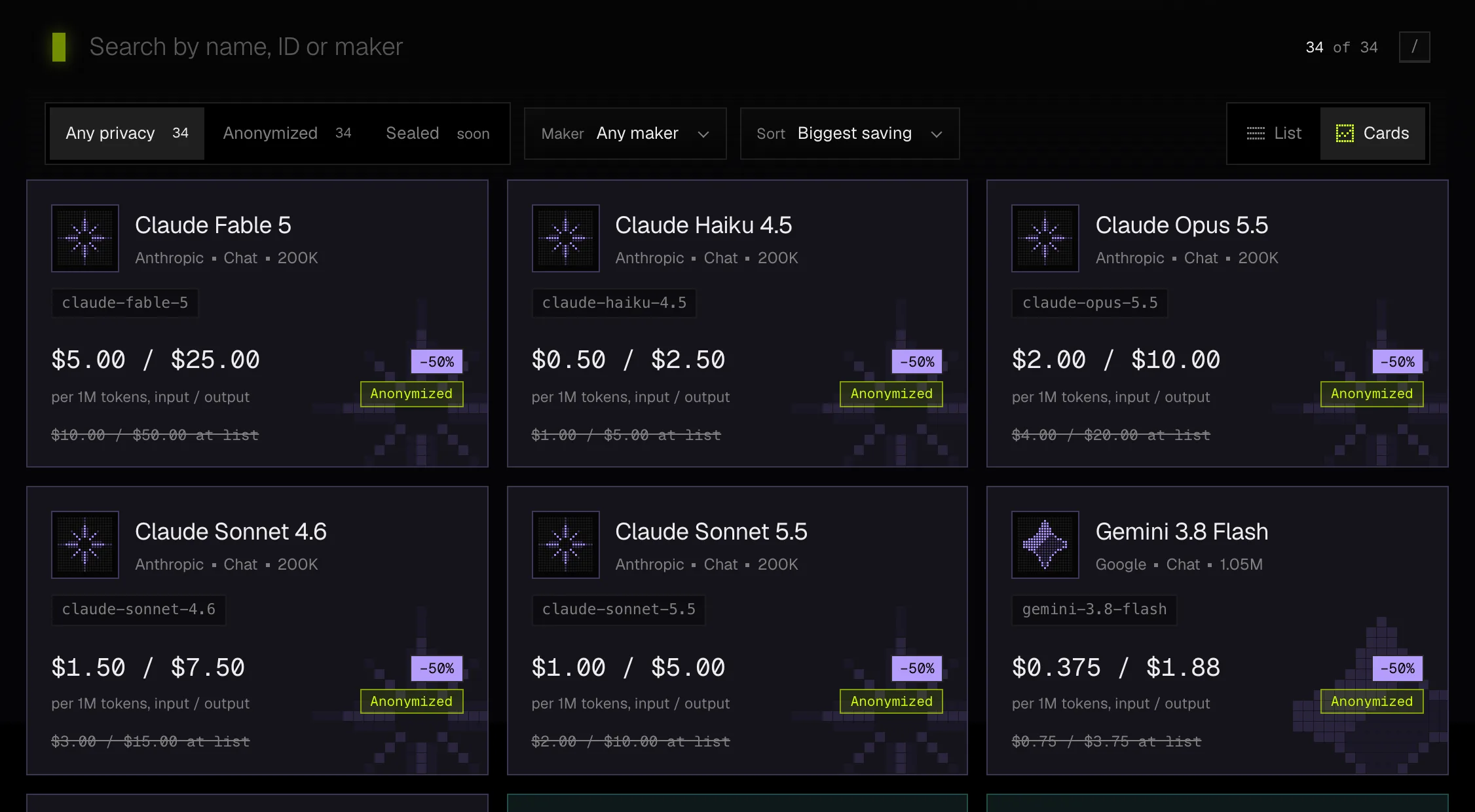
model field of a request.- Type a name, an ID or a maker into Find a model. Pressing
/puts the cursor there. - Press a kind, Chat, Image, Video or Music, to see only that kind, and press it again to see all of them. Each kind shows how many models it has and where its prices start.
- Narrow the list by maker or by privacy mode, sort it, and switch between cards and a list.
- The filters live in the address, so a link you share opens on the same view.
A model's card shows its maker, its ID, its Moth price, the list price struck through where its maker publishes one below the Moth price, and the saving. A model that sells above its list price says so instead. A model that is busy or paused says so on its card.
A model's own page
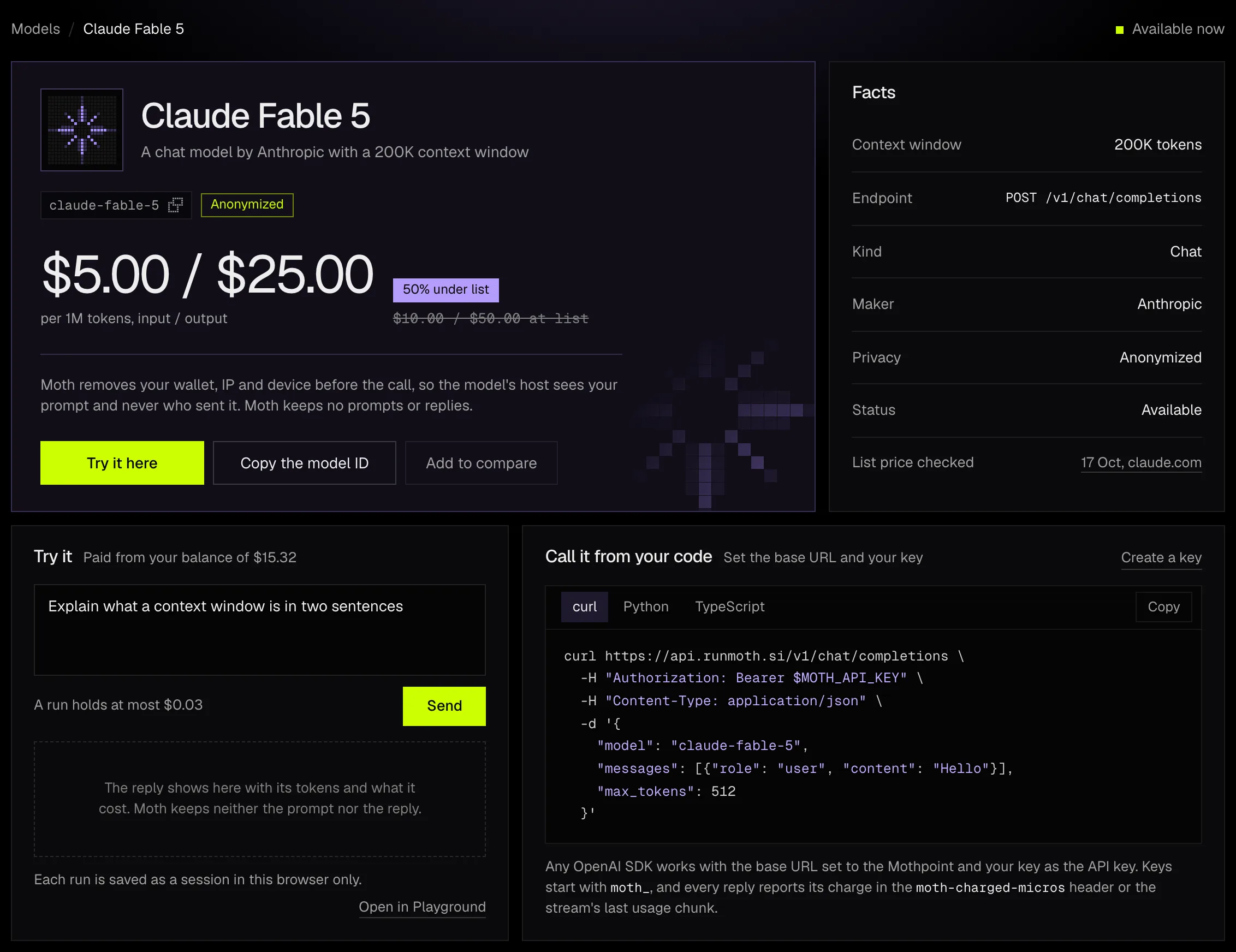
Pressing a card opens the model's page. Its address is console.runmoth.si/<model-id>/, so you can link straight to a model.
Price a workload
What a workload costs starts from 2,000 tokens in and 500 out per call at 100 calls a day, and you can change each figure. For an image, video or music model the fields are images per call, seconds per clip or songs per call. The Moth price is what your balance is charged, and the list column is filled only where the maker publishes a list price.
Compare
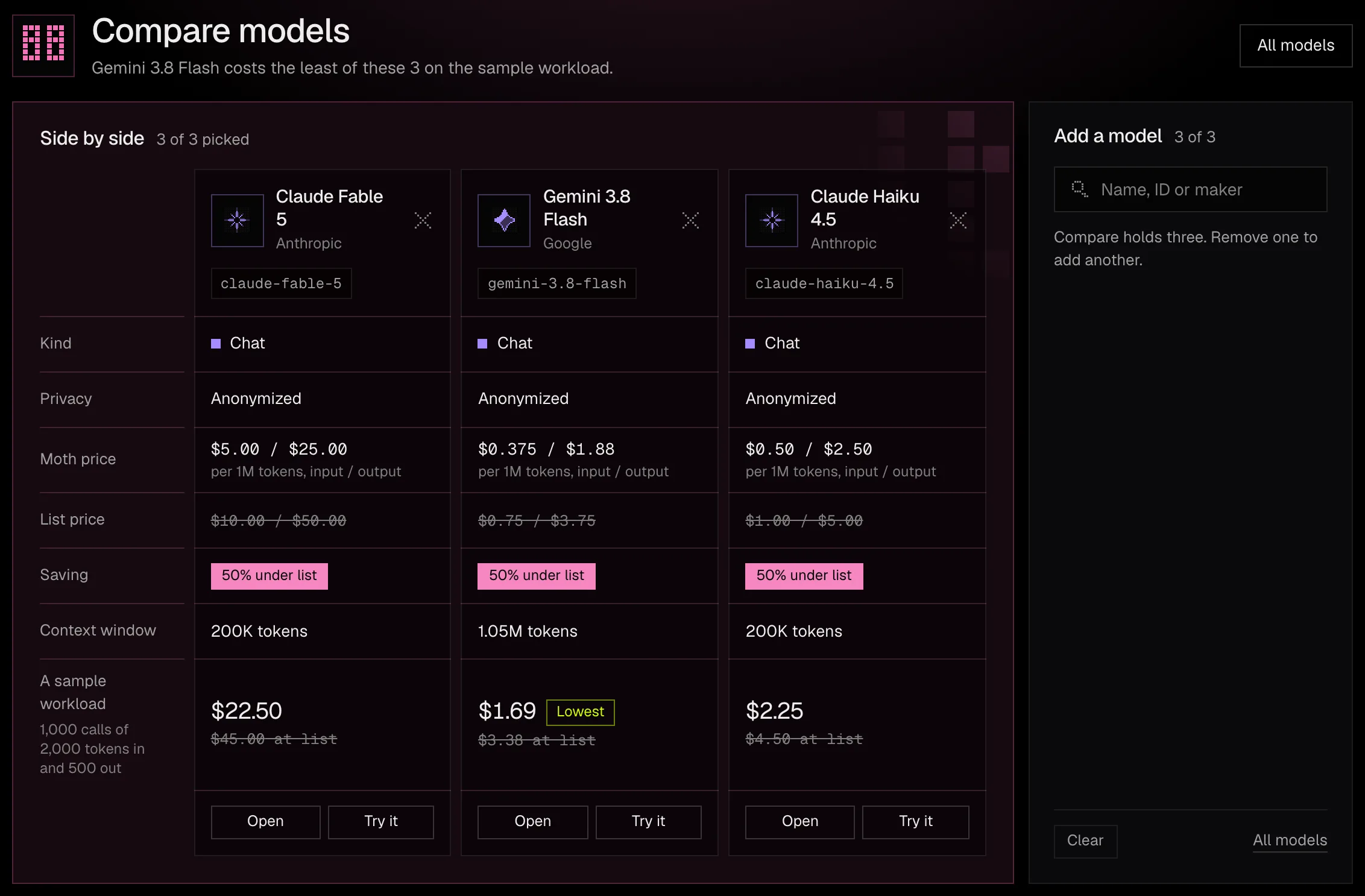
Each card and row has a small switch that adds the model to Compare, which holds up to three. Compare lines the models up under one set of rows, with the price against list, the saving, the context window and limits, and what one sample workload costs on each, with the lowest marked. Chat samples count 2,000 tokens in and 500 out per call. The picked models travel in the address, so a comparison can be shared as a link.
The Playground
Pick a kind and a model
Choose Chat, Image, Video or Music, then press the model's name to pick another. Try it on a model's page opens the Playground on that model.
Write the prompt and set the parameters
A chat run takes a system line, a temperature and the most tokens the reply may use. An image run takes the number of images, a video run the clip length, and a music run a style and whether it is instrumental.
Check the cost, then send
Before you send, the page shows the most a chat run can hold, or what a media job costs. A run is charged to your balance like any API call.
Read the result
A chat reply streams in with its tokens and its exact charge. A media job shows its progress and then its files, and nothing is saved, so download what you want to keep.
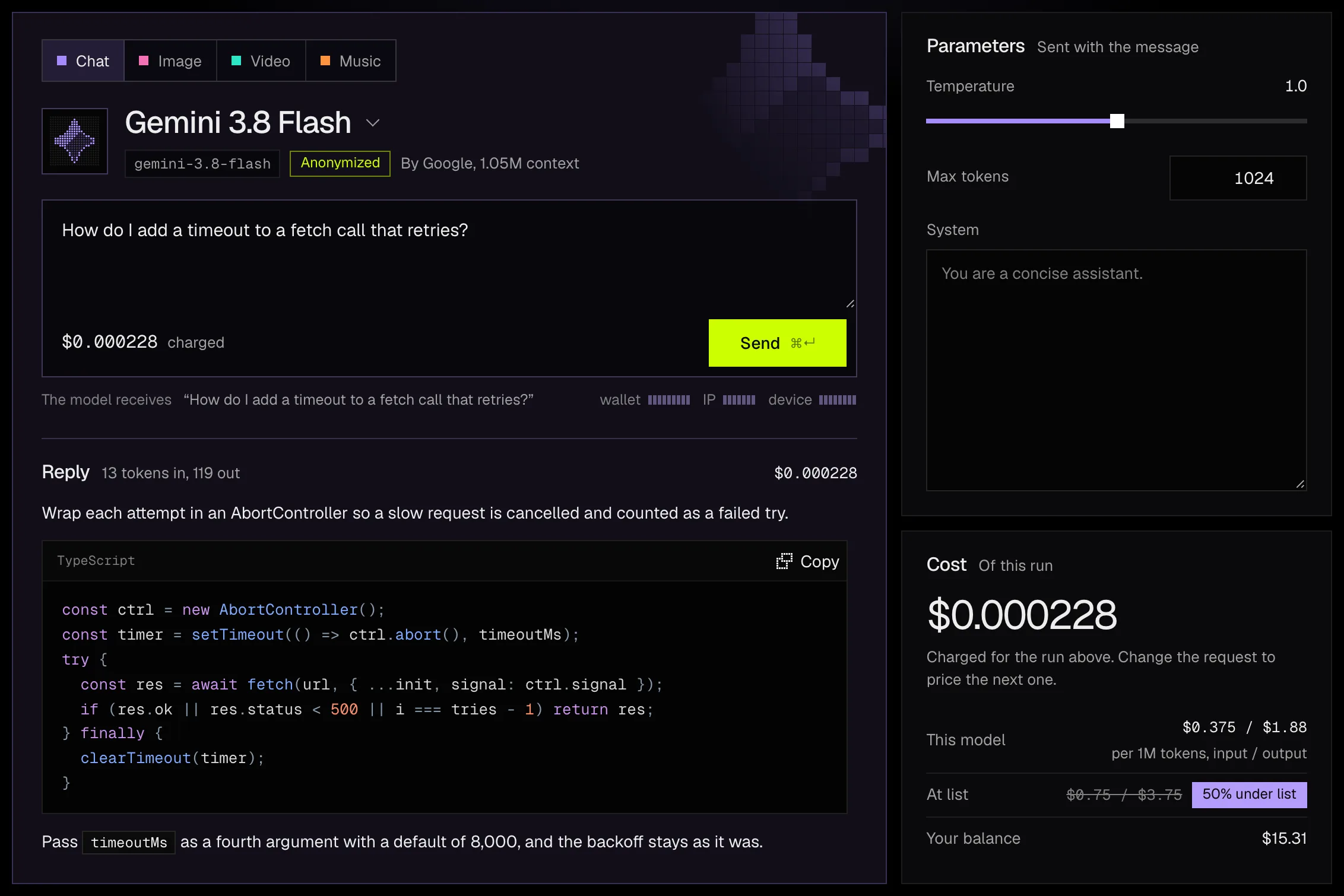
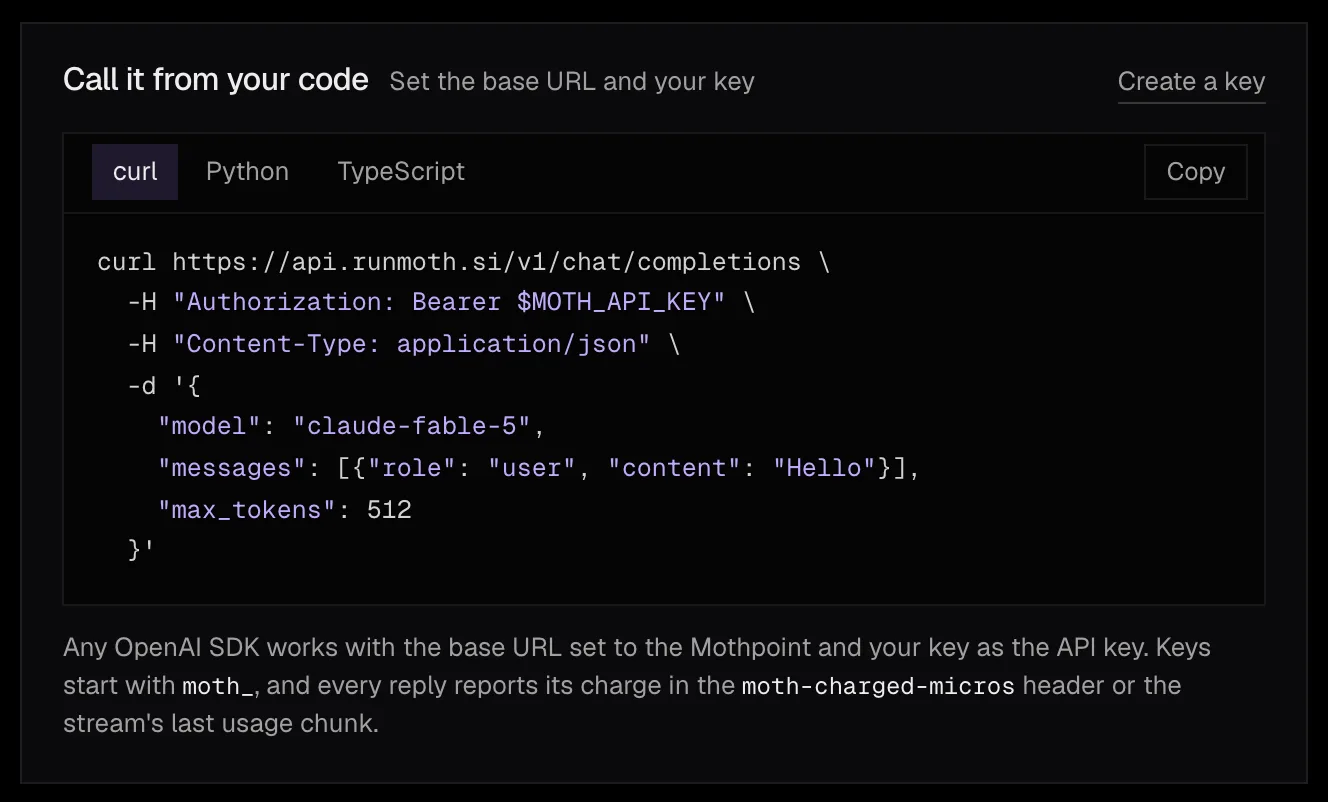
Under the prompt, a line shows what the model receives, which is your prompt and nothing about you. The request as code follows every change in curl, Python and TypeScript, so what you copy sends exactly what the box holds.
Sessions stay in the browser. Each chat run is saved as a session in this browser only, with its reply, tokens and charge. Moth keeps no prompts or replies, so clearing the browser's data clears the sessions, and a deleted session can't be brought back.