Usage and Logs
Moth DocsApps
Usage answers where the money went and Logs answers what happened to one call, and both show counts and charges only, because Moth keeps no prompt and no reply.
Usage
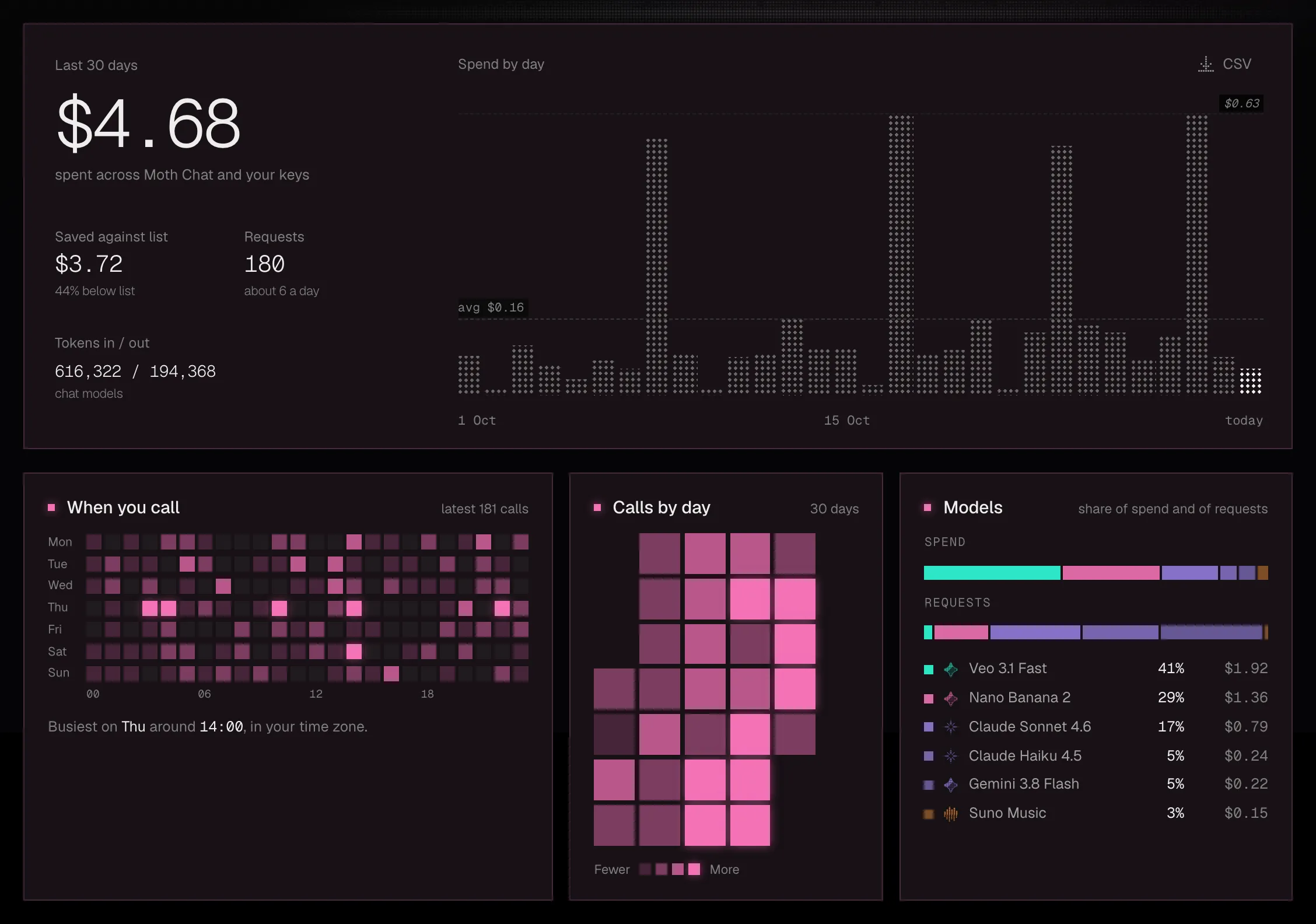
The line under the title names the model that took most of the month's spend. The title row holds the range and Download daily CSV, which saves your usage day by day.
A row in By model opens the model's detail under it, with its calls, its spend and share, what it saved against list, Moth's price beside the maker's, its time to answer and its latest calls. Model page and Open logs lead on from there.
Spend by source and Time to answer are worked out from your latest calls. The API lists the latest 200, so when those do not reach back over the whole range the cards say so.
Logs
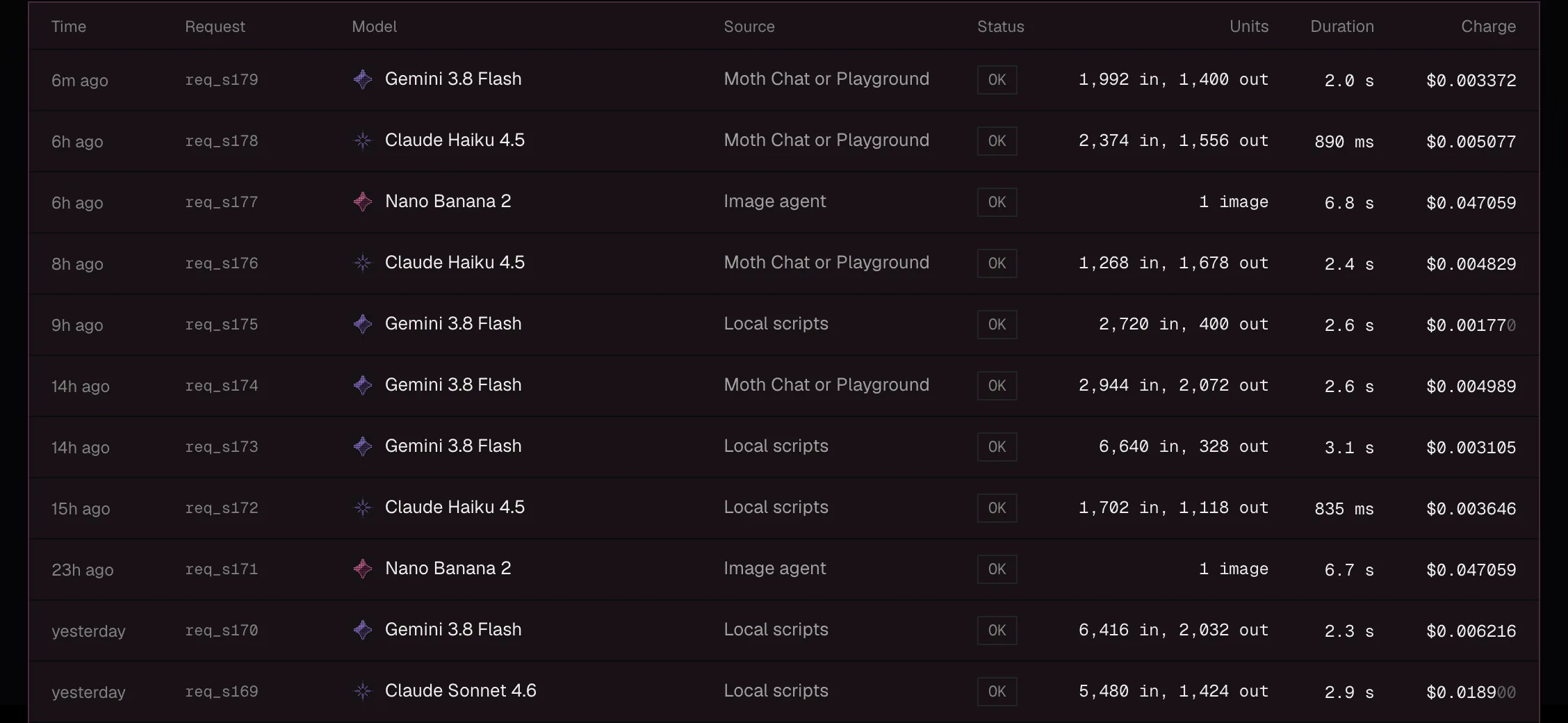
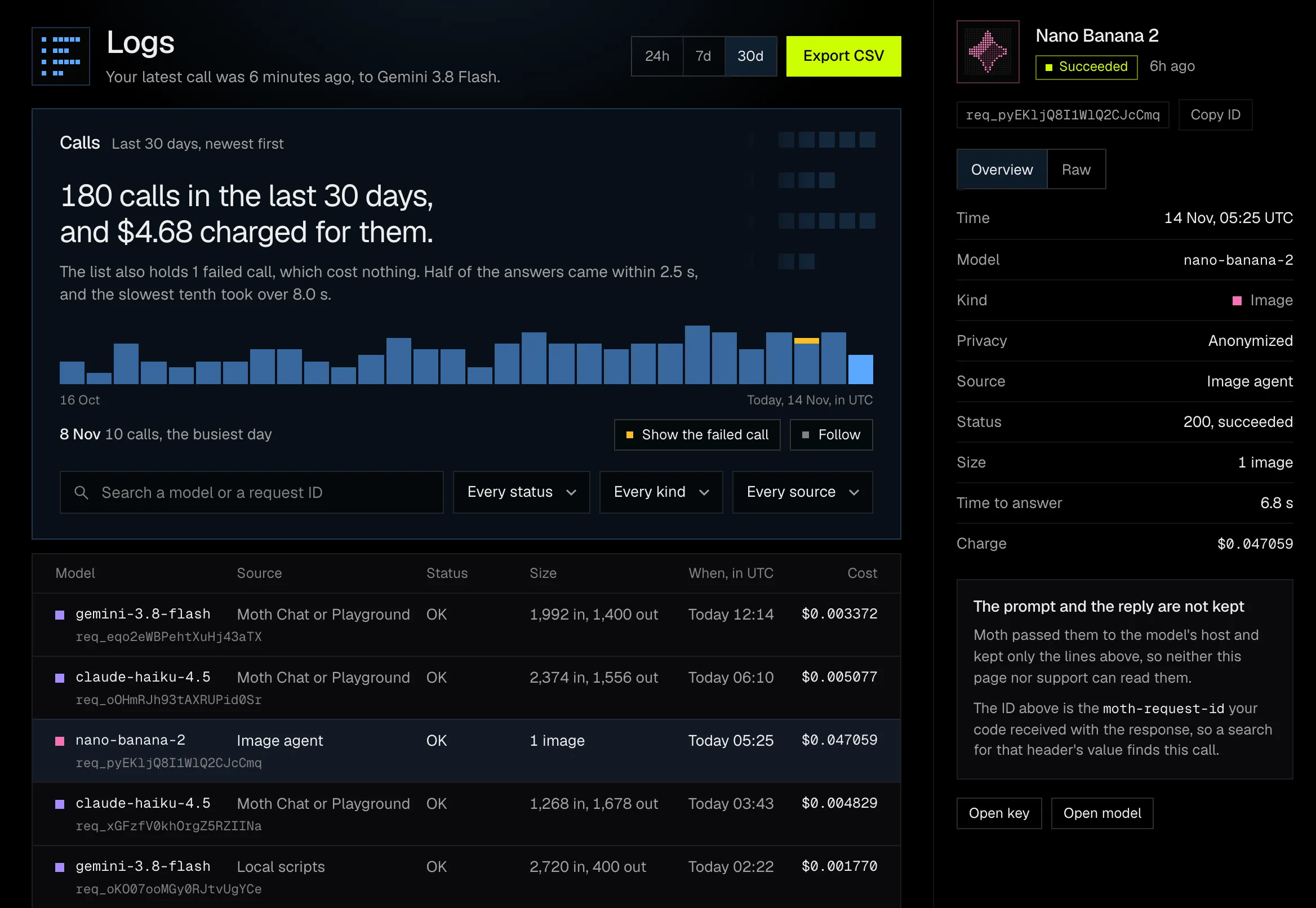
The card at the top says the calls in the range in a sentence, counts the failed ones and draws the calls over time, with the failed part of each bar in amber. Under it is the list, newest first, 25 rows at a time.
- Search by a model or by a request ID. A call's ID is the
moth-request-idyour code received with the reply, so pasting that header's value finds the call. - Filter by status, by kind and by source, which is the key or app that made the call.
- Follow reads the calls again every four seconds.
- Export CSV saves the calls the filters let through.
Failed calls
A failed or refused call is listed with its real status, no counts and a cost of $0.00. One press on the count of failed calls shows them alone, and a call's detail says why it was not charged.
A request refused for its rate is stopped before Moth reads it, so its model reads unknown. Failed calls are kept as a record of what went wrong, so when many fail at once not every one is listed.
A call's detail
Pick a row and its detail opens beside the list, or as a sheet on a narrower screen. Overview lists every line Moth keeps about the call, and Raw shows the record as the API sends it, with Copy. Open key and Open model lead to the key and the model.
What is recorded
The detail's lines are the time, the model with its kind and privacy mode, the source, the status, the size in tokens or units, the time to answer and the charge, and that is the whole record. A settled call is recorded by account, key, model, kind, request ID, token counts or units, charge and time taken. A failed call is recorded by account, key, model, kind, request ID and status, with no error message and nothing of what was sent. The prompt and the reply are not recorded anywhere, so neither this page nor support can read them.
- Each call's record is kept for 90 days, then folded into one total per day, account and model, and deleted.
- A failed call's record is deleted after the same 90 days, and each account keeps its newest 1,000.
- Logs reads the latest 200 calls, failed ones included, which is what activity returns.
Receipts and headers describes the same record from the API's side, and usage returns the totals the Usage page draws.