API keys
Moth DocsApps
Each app or agent gets its own key with its own spend cap, and the API keys page is where you make, read, change and revoke them.
Make a key
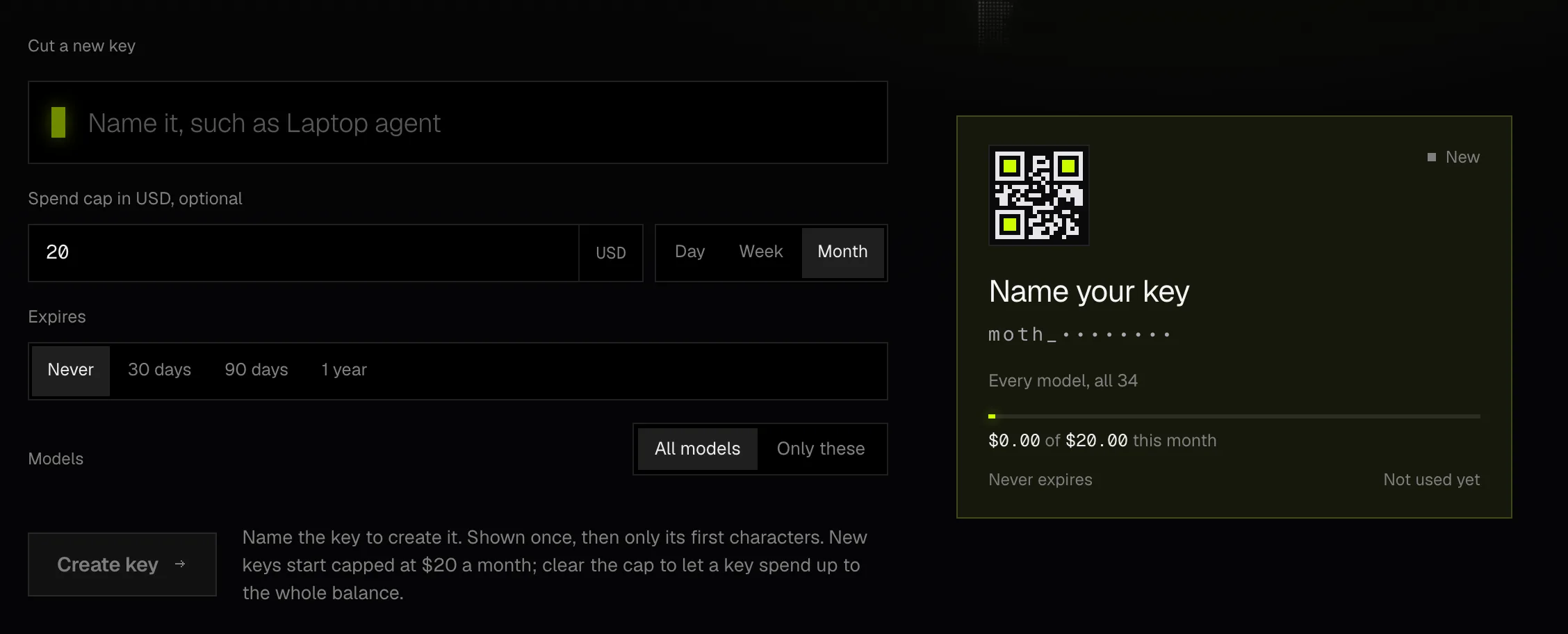
Open New key
Press New key on the page or in the panel, or press
Nanywhere in the Console. An account with no keys opens on the form.Name it
Give it the name of the app that will use it, such as Laptop agent. The card previews the key as you type.
Set a spend cap
A new key starts with a cap of $20 a month. Change the amount, choose whether it resets each day, week or month, or clear the field for no cap.
Choose an expiry
Pick Never, 30 days, 90 days or 1 year. A key keeps the expiry it was made with.
Choose its models
All models lets the key call every model, and new ones as they are added. Only these limits it to the models you pick from a list you can search by name or maker.
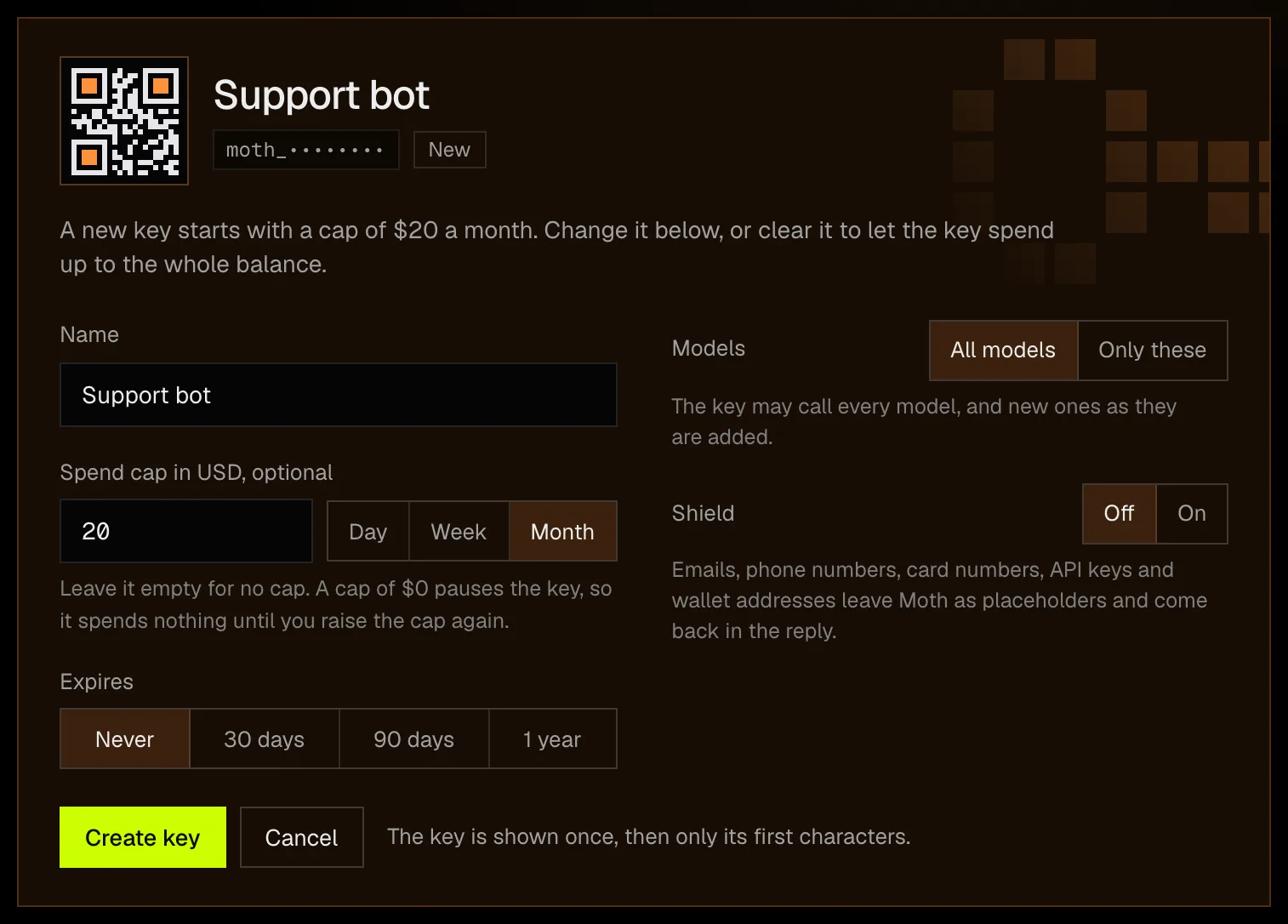
Decide on Shield
Shield is off unless you turn it on. With it on, the emails, phone numbers, card numbers, API keys and wallet addresses in a chat request leave Moth as placeholders and come back in the reply, as Shield explains.
Create the key and copy it
Press Create key. The whole key appears with Copy key, Copy as curl and Done, and the browser you made it in keeps a copy, so the key's card can copy it again there later.
Where the whole key is kept. Moth keeps only a hash of a key, so its servers can't show the key again. The browser you made it in keeps a copy, so Copy key works on its card there, while other browsers and devices show only its first characters. Signing out removes those copies, and a lost key is replaced by making a new one. Keys start with moth_.
Caps and periods
A cap is the most a key may spend in its period, which resets in UTC each day at midnight, each week on Monday or each month on the 1st. The card's meter shows what the key has spent of its cap and what is left before its calls stop. A key with an empty cap can spend up to the whole balance.
A cap of $0 pauses a key. Its calls are refused and it spends nothing until you edit it and raise the cap again, which stops a key without revoking it.
Read a key's card
- Each key has its own dot picture, drawn from its ID so that the same key always looks the same. The picture encodes nothing, and the secret never appears on a card.
- A chip says the key's state, lime while it is in use, amber near its cap, red at its cap or once it has expired, and Paused for a cap of $0.
- The facts list when it was last used, whether Shield is on, when it expires, which models it may call and when it was created.
- First request is a request ready to copy that reads the key from
MOTH_API_KEY, and Latest calls lists what the key made.
The filters at the top narrow the page by state, by models and by cap, and the keys are sorted with the newest use first. With more than one key, two more cards add up what all keys spent over 14 days and list the latest calls made with any of them.
Edit or revoke
Edit turns the card into the key's fields, where you can change its name, its cap and period, its models and Shield. Revoke asks first and shows the key in brief. A revoked key stops working at once and can't be brought back, and your balance is not affected.
Keys and their limits covers the API side, such as what a call gets when it passes a cap, names a model the key may not call or arrives after the expiry, and how many keys an account holds.