Run a job with Moth Agent
Moth DocsTutorials
Describe a job once, and Moth Agent plans the steps across models, shows what each costs, and runs them when you say so.
Moth Agent turns one request into a plan of up to six steps, from research with web search and writing to pictures, a clip and a song. It needs a wallet, since its steps are paid from your balance.
Switch the box to Agent
Press Agent on the chat box's tabs. The box asks what you need made, and Send becomes Plan.
Describe the job
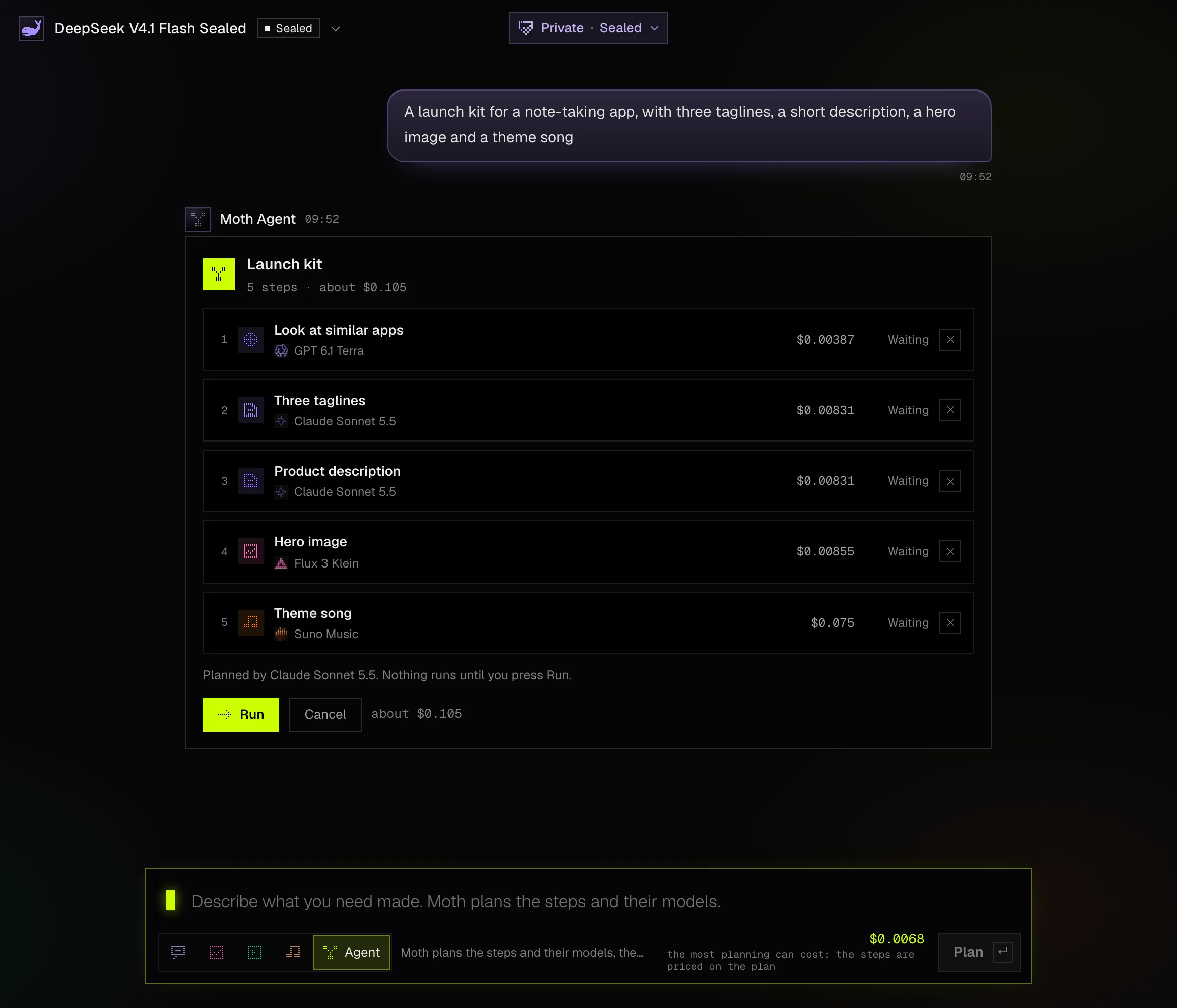
Say what you want made, such as a launch kit with taglines, a description, a hero image and a theme song, and press Plan. Only the planning reply is charged at this point.
Read the plan
The plan names each step with its model and what it should cost, and adds up the total.
Take out what you don't need
The cross beside a step takes it out, and the total follows.
Run it
Press Run to start. Cancel stops here, and then only the plan was charged.
Watch it run
Run turns the plan into a live board. Steps run one after another, writing uses what the research found, and pictures and songs land in place and in the Library. Stop halts the step that is writing and skips the rest, and a clip or song already started finishes.
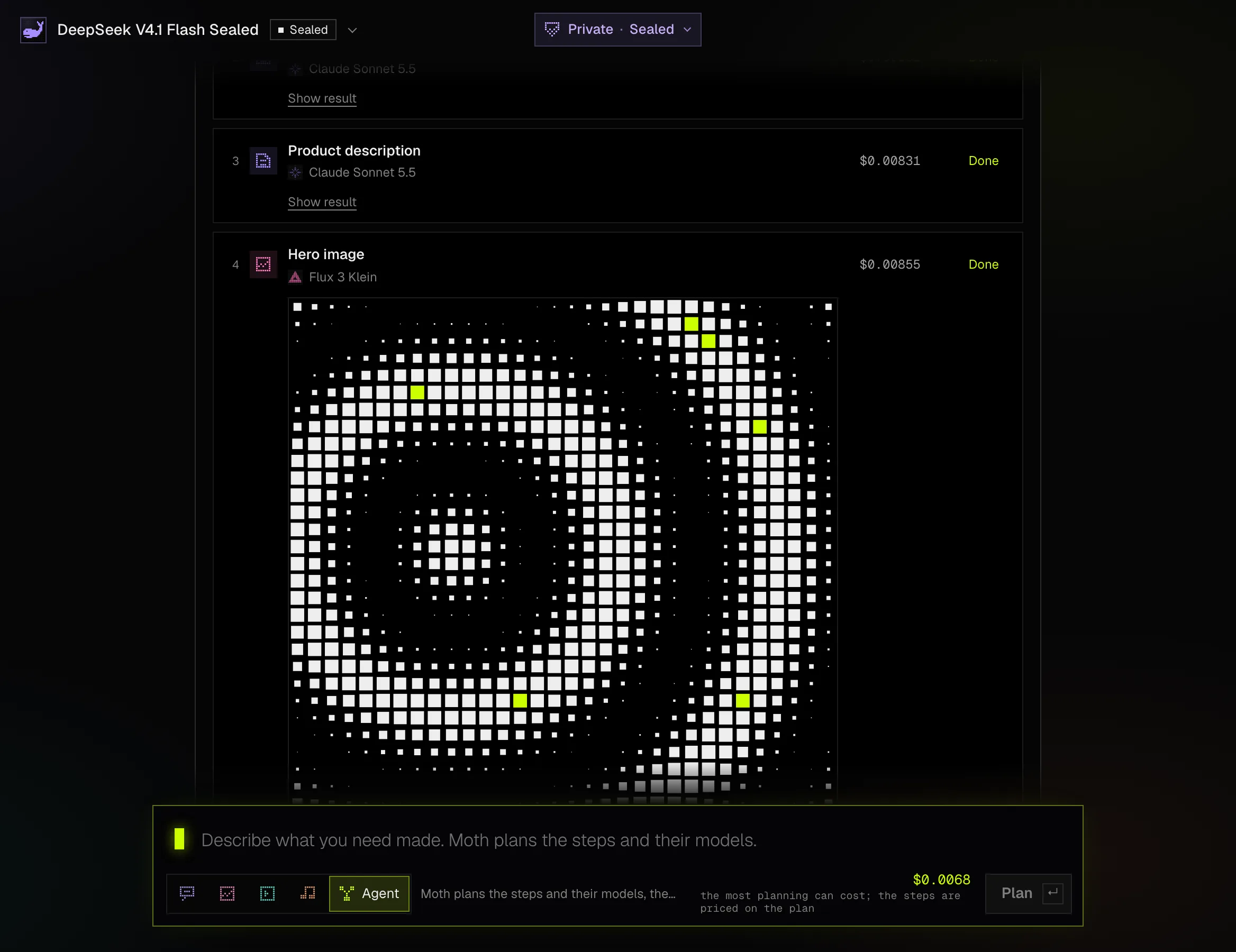
- Each step is an ordinary request with its own privacy record, so the Privacy log lists every one.
- When the run ends, the chat carries on with what the agent made.