Chat in Sealed
Moth DocsTutorials
Seal a chat so that neither Moth nor the model's host can read it, then read the checks your browser made before it sent a word.
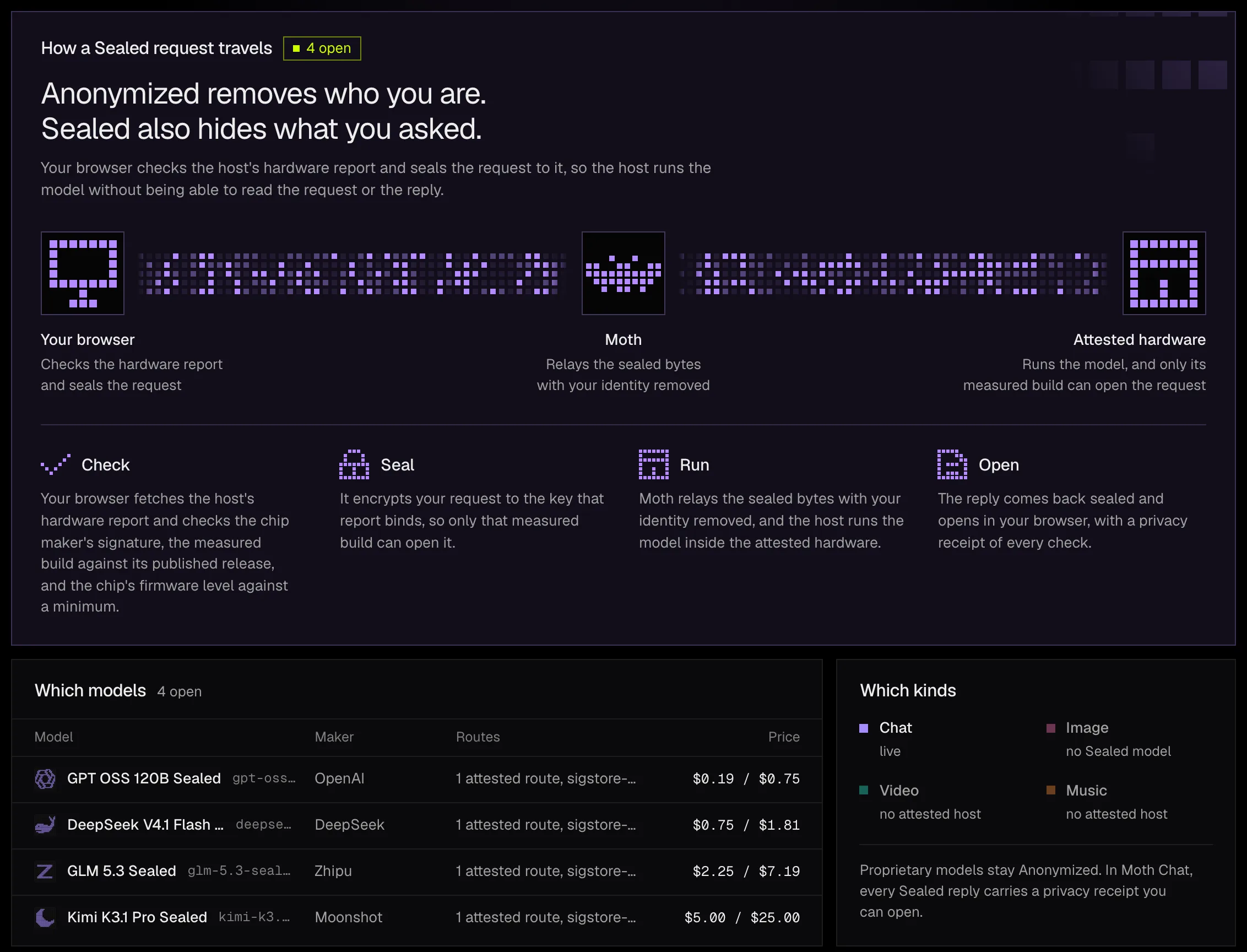
Sealed is Moth's second privacy mode, beside Anonymized. The request is encrypted in your browser to a key that only attested hardware holds, so neither the model's host nor Moth can read the prompt or the reply. Moth still removes your wallet, IP address and device, and still keeps no prompts or replies. Anonymized and Sealed explains the two modes.
Switch a chat to Sealed
Connect a wallet
Sealed needs a wallet. Without one, the pill marks Sealed as unavailable.
Open the privacy pill
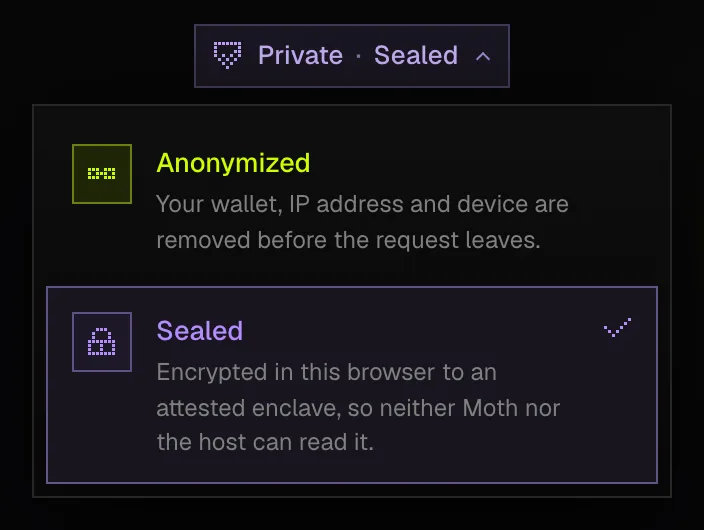
At the top of a chat, the pill reads Private and the chat's mode. Press it to see both modes.
Choose Sealed
Choosing Sealed moves the chat onto a Sealed model, and Choose a model now lists only the four Sealed models.
Send as usual
While the reply is on its way, the chat says it is checking the enclave and encrypting the request.
gpt-oss-120b-sealed$0.19 and $0.75deepseek-v4.1-flash-sealed$0.75 and $1.81glm-5.3-sealed$2.25 and $7.19kimi-k3.1-pro-sealed$5 and $25All four are open-weight chat models. GLM 5.3 and Kimi K3.1 Pro reason before they answer, so a reply can take a few seconds longer. Each is priced per token, held at the start of a call and settled to what was used.
Read the reply
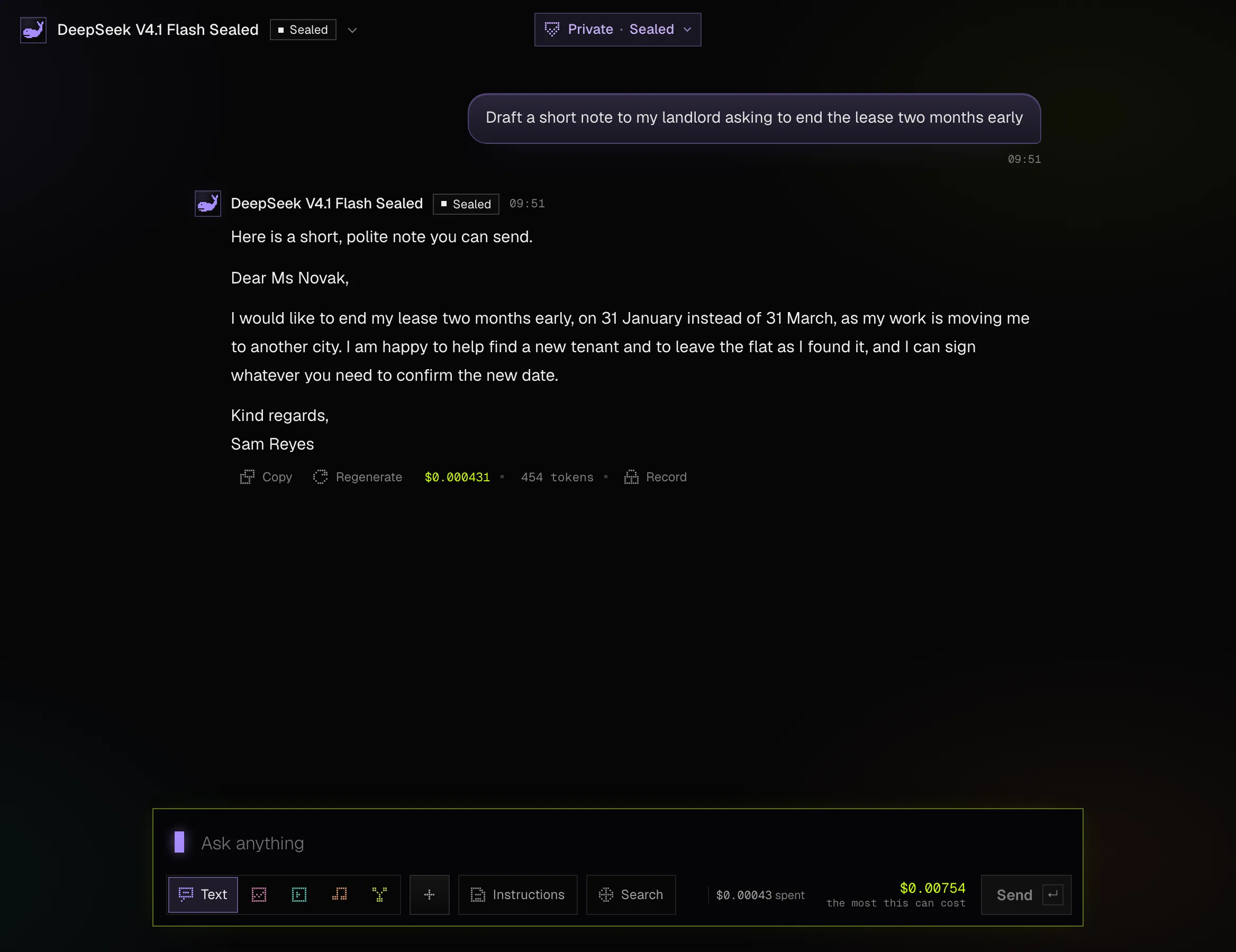
The reply's head carries the Sealed mark. Under the reply are Copy, Regenerate, what it cost in tokens and dollars, and Record, which opens its privacy record.
Read the receipt
Open the record
Press Record under the reply.
Find the attestation
The section Attestation checked in this browser lists every check your browser made before anything was sent, each marked Passed, Failed or Not checked.
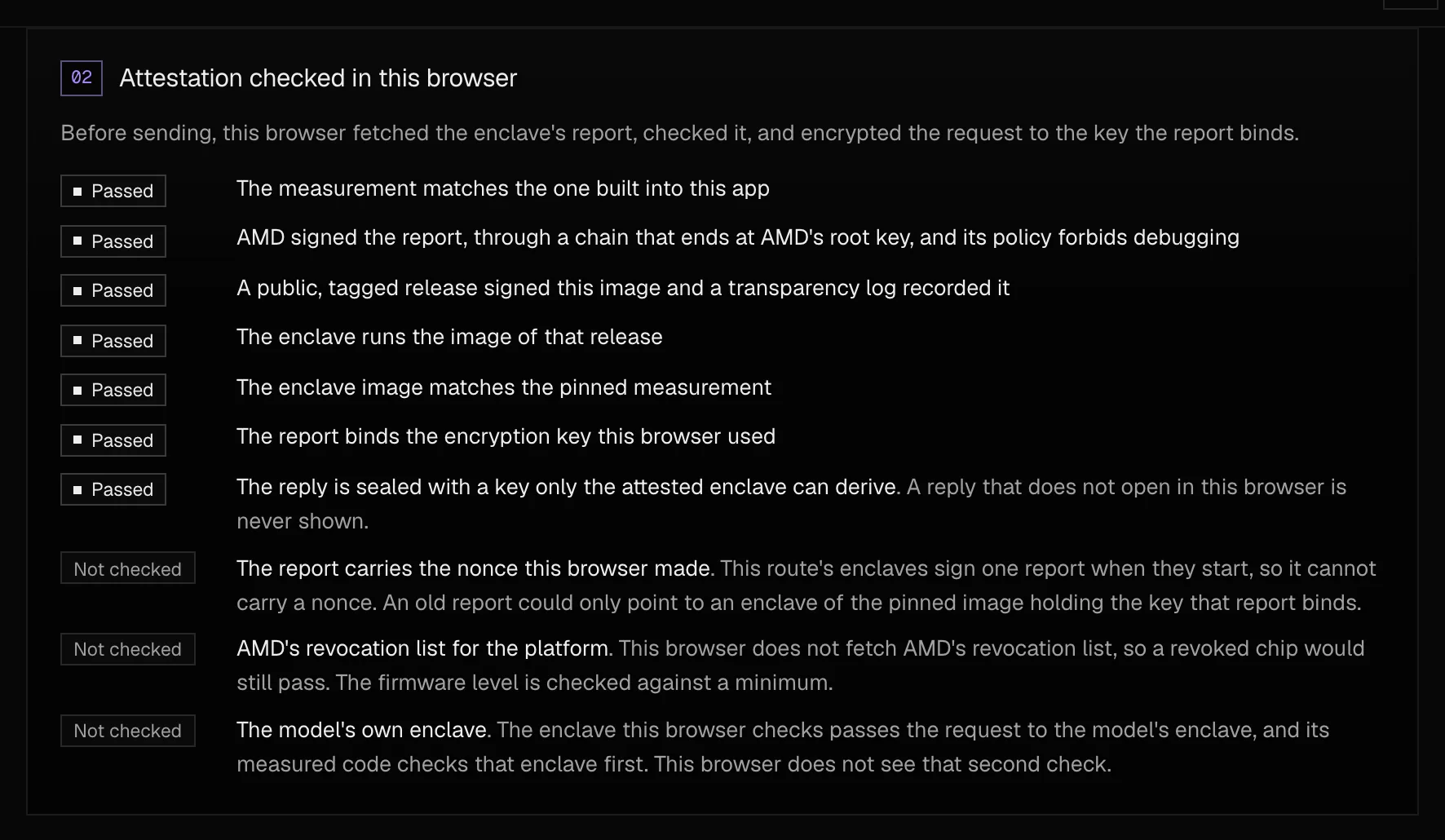
In plain words, the checks that pass say this.
- AMD signed the hardware's report, through a chain that ends at AMD's root key, and the hardware's policy forbids debugging.
- A public, tagged software release signed the enclave image, and a public transparency log recorded it.
- The enclave runs exactly the image of that release.
- The image matches the measurement pinned in the Moth app itself and published by Moth's API.
- The report binds the encryption key the browser uses.
- The reply is sealed with a key only that attested enclave can derive, and a reply that does not open is never shown.
Three lines always read Not checked. The enclaves sign one report when they start, so the report can't carry a fresh nonce from your browser. Your browser doesn't fetch AMD's revocation list, so a revoked chip would still pass, and the firmware level is checked against a minimum. The enclave your browser checks passes the request on to the model's own enclave and checks it first, and your browser doesn't see that second check.
If a check fails, nothing is sent. Your browser encrypts the request only when every required check passes. If one fails, the record says no route passed the checks and nothing was sent, and lists the routes it passed over and why. There is no fallback to Anonymized.
What Sealed covers
- Text chat. Images, video and music run in Anonymized, and a Sealed chat doesn't search the web.
- Moth relays the encrypted bytes. It sees the size of the request and the token counts the hardware reports for billing, never the content.
- You trust the chip maker's hardware and its signing keys, AMD's, as with any confidential computing.
- The model inside the hardware still reads the request, as any model must.
Sealed in Moth Console
In Moth Console, the Sealed page shows how a Sealed request travels and lists the four models with their prices, and Models shows them under the Sealed privacy filter. Try on a Sealed model's page opens Moth Chat, since the Console Playground does not run Sealed models.