Pick a model
Moth DocsTutorials
Choose which model answers, compare its price with the list price, and set the model new chats start with.
Open the picker
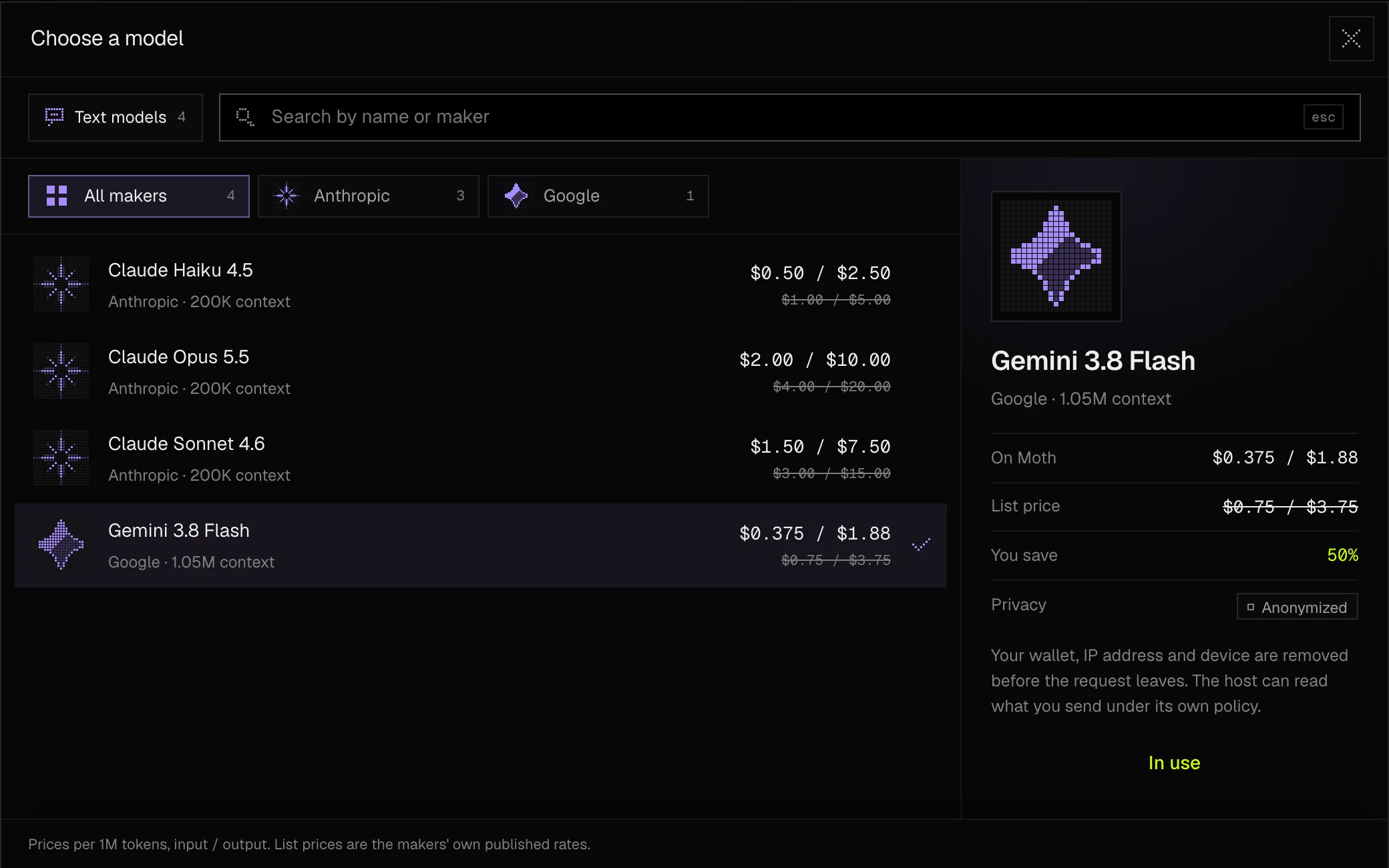
Press the model's name at the top of the chat, and Choose a model opens.
Narrow the list
The makers sit above the list with a count each. Press one, or type a name or a maker into the search.
Read a row
Each row shows the model's maker, its context window and its price per million tokens, input over output, over the list price where its maker publishes one. The panel at the right shows the model in detail, with its price on Moth, the list price, what you save and its privacy mode.
Pick it
One press picks the model and closes the window. The next message goes to it.
The model new chats start with
Open Settings from the account menu at the foot of the panel. Under Replies, New chats start with is Moth's pick until you choose a model there, and the choice applies to chats you start from then on.
What narrows the list
- Without a wallet the picker lists only the free models. Connecting a wallet opens every model.
- The privacy pill at the top of the chat narrows the list to one mode. In Sealed it lists only the four Sealed models, as Chat in Sealed shows.
- Image, Video and Music have pickers of their own, in the studios and on the chat box's tabs.
When a model is busy. A model whose host is failing right now is marked busy. Another model that costs no more answers in its place and says so, and your choice stays for the next message.